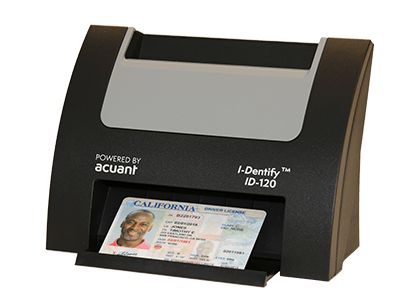
Shop all hardware solutions for Driver's Licenses, Passports and Medical Insurance Cards
SHOP

Powerful Identity Verification
Knowing who you are doing business with has never been more critical. IDology provides a seamless workflow for data intake and verification of identity documents to speed up and secure your customer workflows.
Whether you need to solve for age or identity verification, border control, patient management or fraud prevention; we have the solution and power trust in every major industry.
FASTER ONBOARDING
FASTER BILLING CYCLE
SPEED UP TRANSACTION TIME
NO MANUAL ENTRY ERRORS
NO PHOTOCOPIES
IMPROVED CUSTOMER EXPERIENCES
SOLUTIONS
Contact Us For Software & Bundled Solutions
CONTACT US8.5
BILLIONOVER 8.5 BILLION ON PREMISE IDENTITY CHECKS ANNUALLY
1.5
BILLIONCOMPLETED OVER 1.5 BILLION SAAS TRANSACTIONS
450
MILLIONOVER 450 MILLION DIGITAL IDENTITIES CREATED
2
MILLIONCOMPLETED OVER 2 MILLION INSTALLATIONS
The Gold Standard In Identity